






Documentation / SwiftLing Pro
SwiftLing › Support lets a customer of SwiftLing Pro write to SwiftLing’s support and read the answers inside their own WordPress. No account on another site is needed.
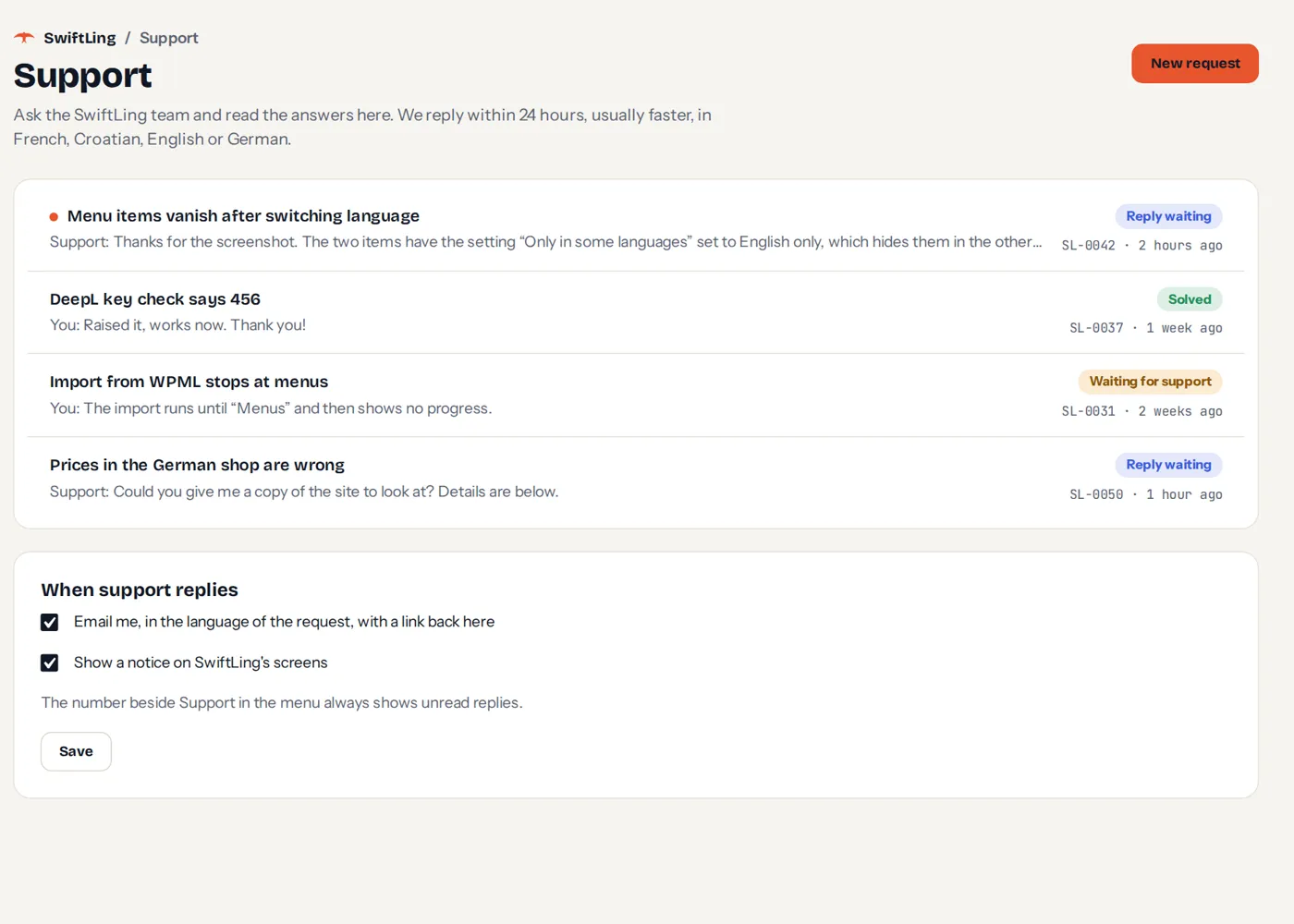
Writing a request
Press New request.
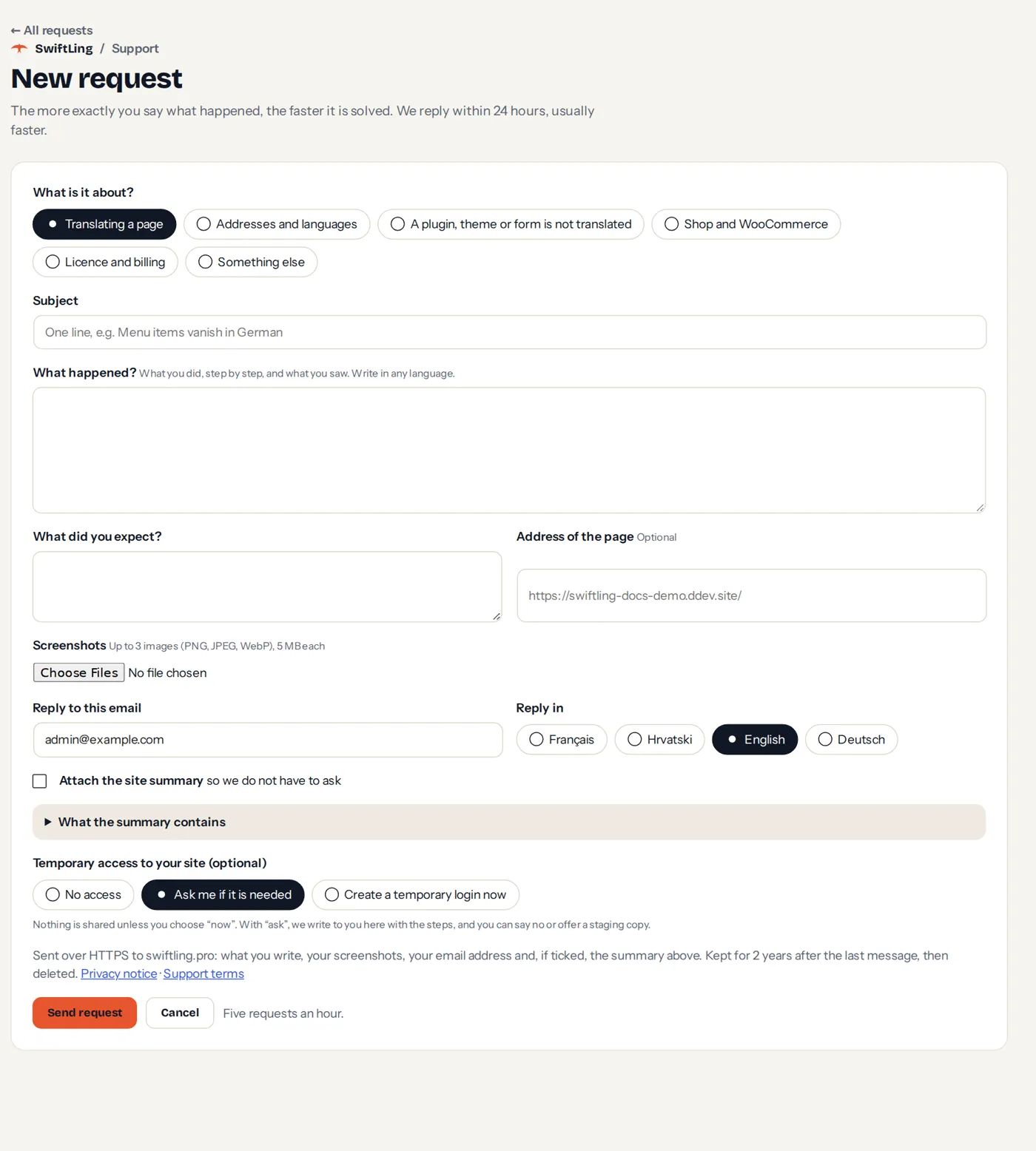
- Choose What is it about?: translating a page, addresses and languages, a plugin/theme/form not translated, shop and WooCommerce, licence and billing, or something else.
- Write a subject and what happened, what you expected, and optionally the address of the page.
- Add up to 3 screenshots (images of at most 5 MB each).
- Choose the language of the reply: English, German, French or Croatian. We reply within 24 hours.
- Optionally attach the site summary so we don’t have to ask, and choose temporary access (No access, Ask me if it is needed, Create a temporary login now).
- Send request. Five requests an hour at most.
Reading the answers
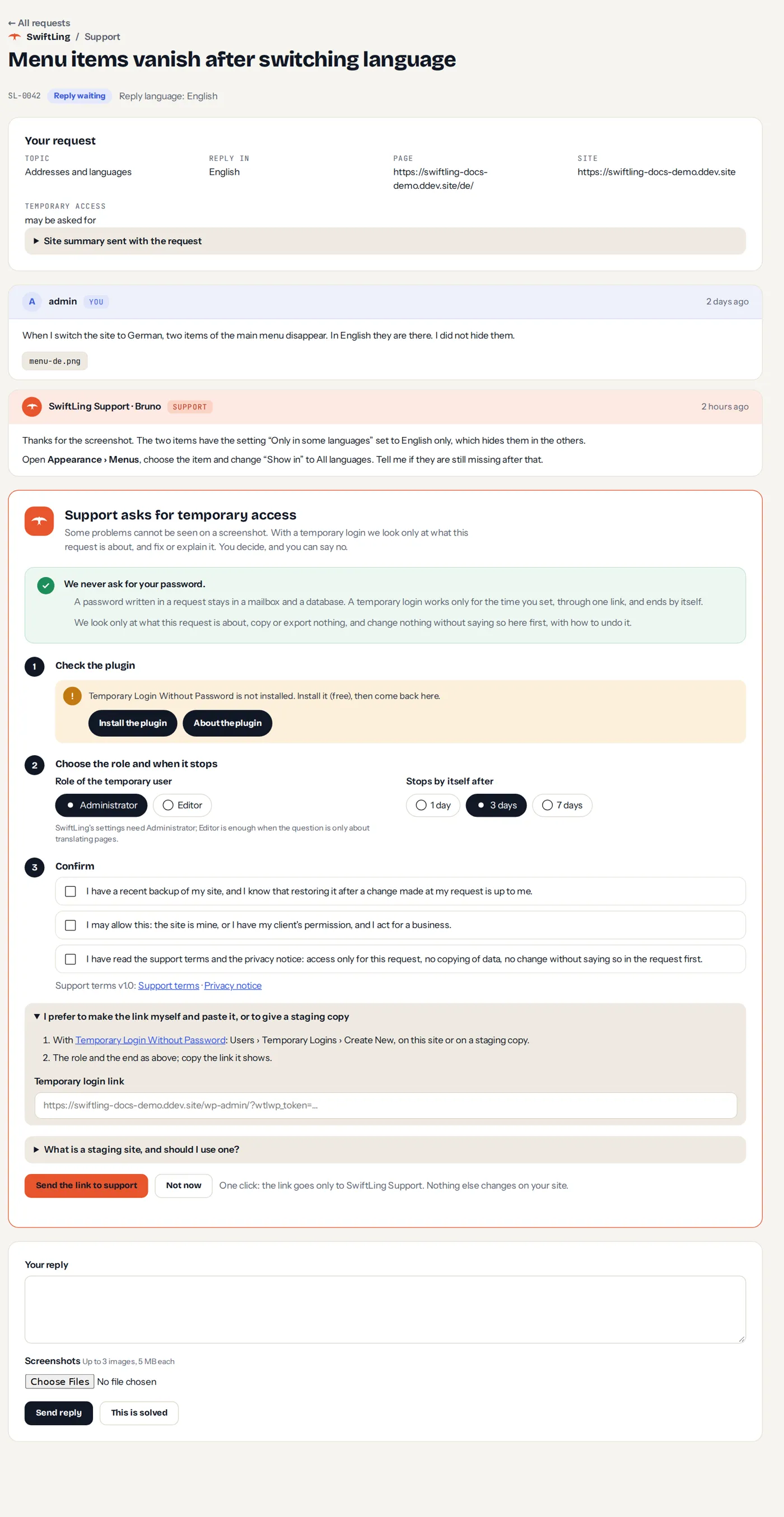
Every message is a card. You can reply, and press This is solved. Replying to a solved request reopens it.
A number beside Support in the menu (and beside SwiftLing) is the number of unread replies. A notice on SwiftLing’s screens says when support replied, with Read the reply and Dismiss.

Under When support replies, choose whether to be emailed (in the language of the request, with a link back) and whether to see the notice.
When support asks for something
Support can ask for three things. Each shows a card with plain steps. SwiftLing never asks for a password.
Temporary access
A temporary login lets support look at the page and fix it. It is created with the free plugin Temporary Login Without Password (1.9.9 or newer): the screen checks it, offers to install it, then you choose the role (Administrator or Editor) and when it stops by itself (1, 3 or 7 days), and confirm that you have a recent backup, that you may allow it, and that you read the terms. You can end the access at any time; it ends when the request is solved, and at the latest after 14 days.
A staging copy
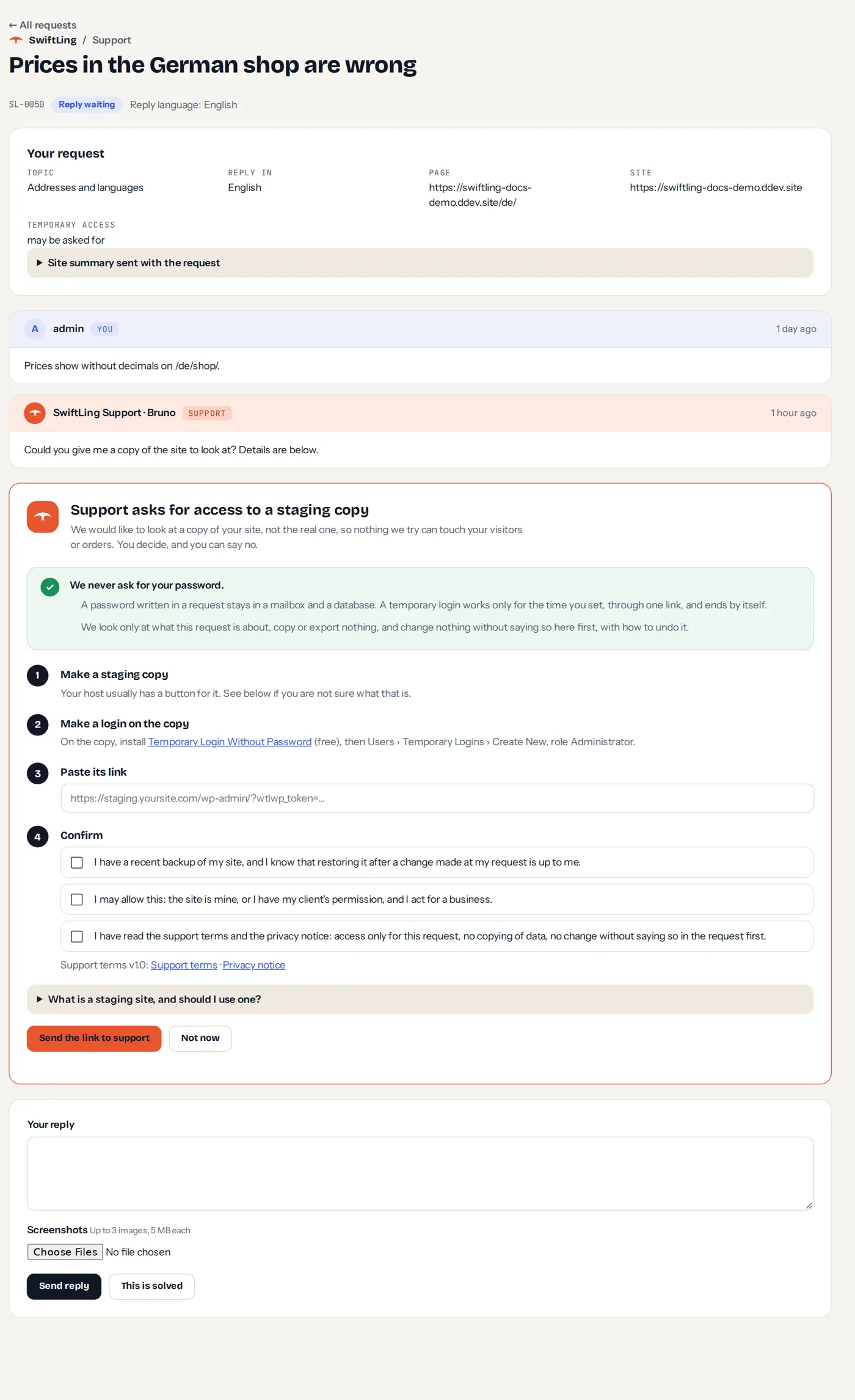
For problems that need more than a look, support can ask for a copy of the site: make a copy at your host, make a login on it, and paste its link.
The site summary
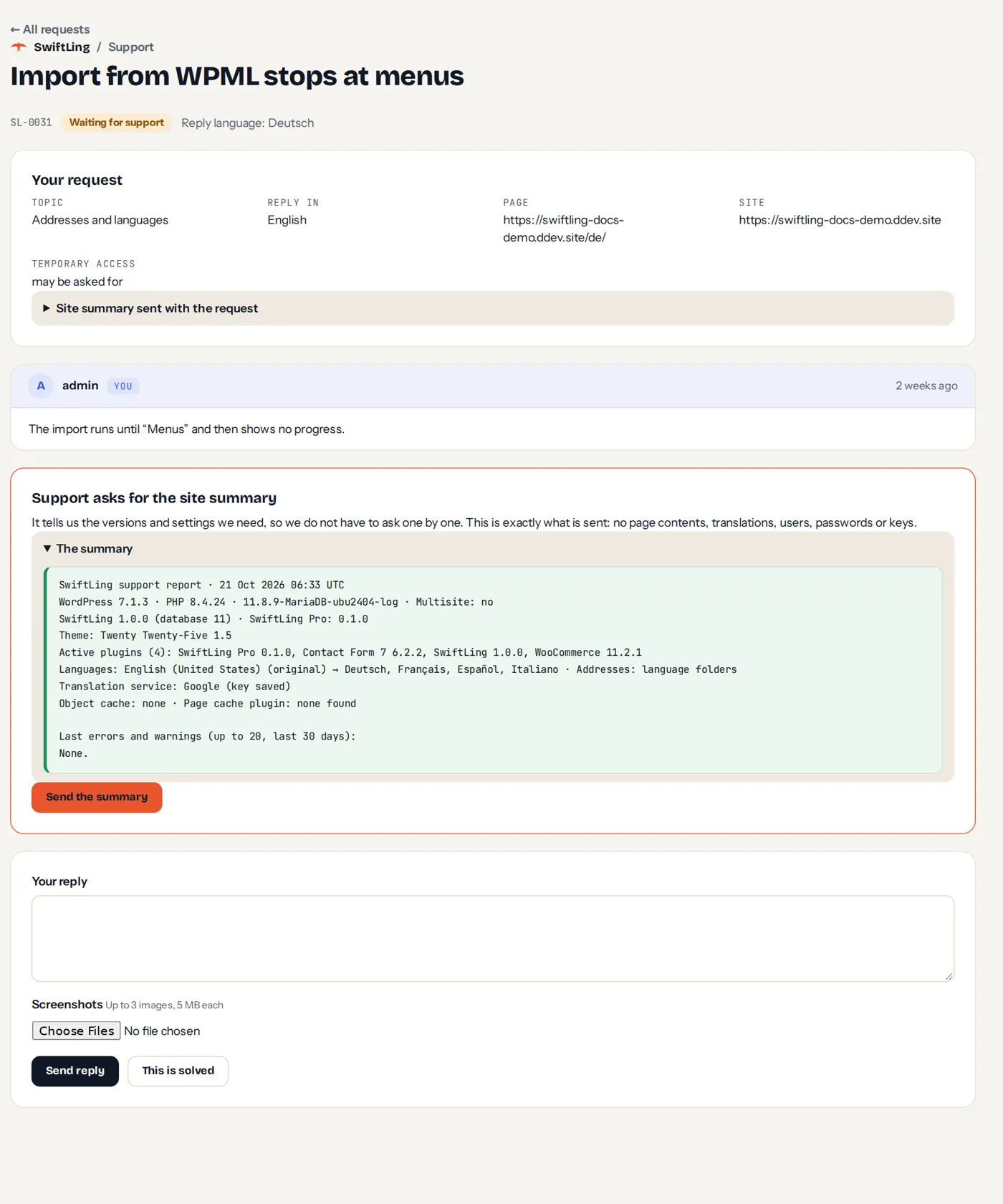
The summary shows exactly what is sent before you press Send the summary: versions of WordPress, PHP, the database, SwiftLing and Pro, the theme, active plugins and their versions, and the latest errors. No page contents, translations, passwords or keys. Opt in, never automatic.
Privacy
Data goes over HTTPS to swiftling.pro. Requests are kept 2 years after the last message, then deleted. A record that you consented to access (no link, no request) is kept 5 years. A temporary login link is removed when the access ends, the request is solved, and after 14 days at the latest.
Expired licence
Old requests stay readable. New ones are blocked until the licence is renewed.
Without Pro
The free plugin has Request support for a plugin, theme or form it does not translate yet. See Help.