






Documentation / Languages and addresses
Settings › URLs decides how the address of a page tells its language.
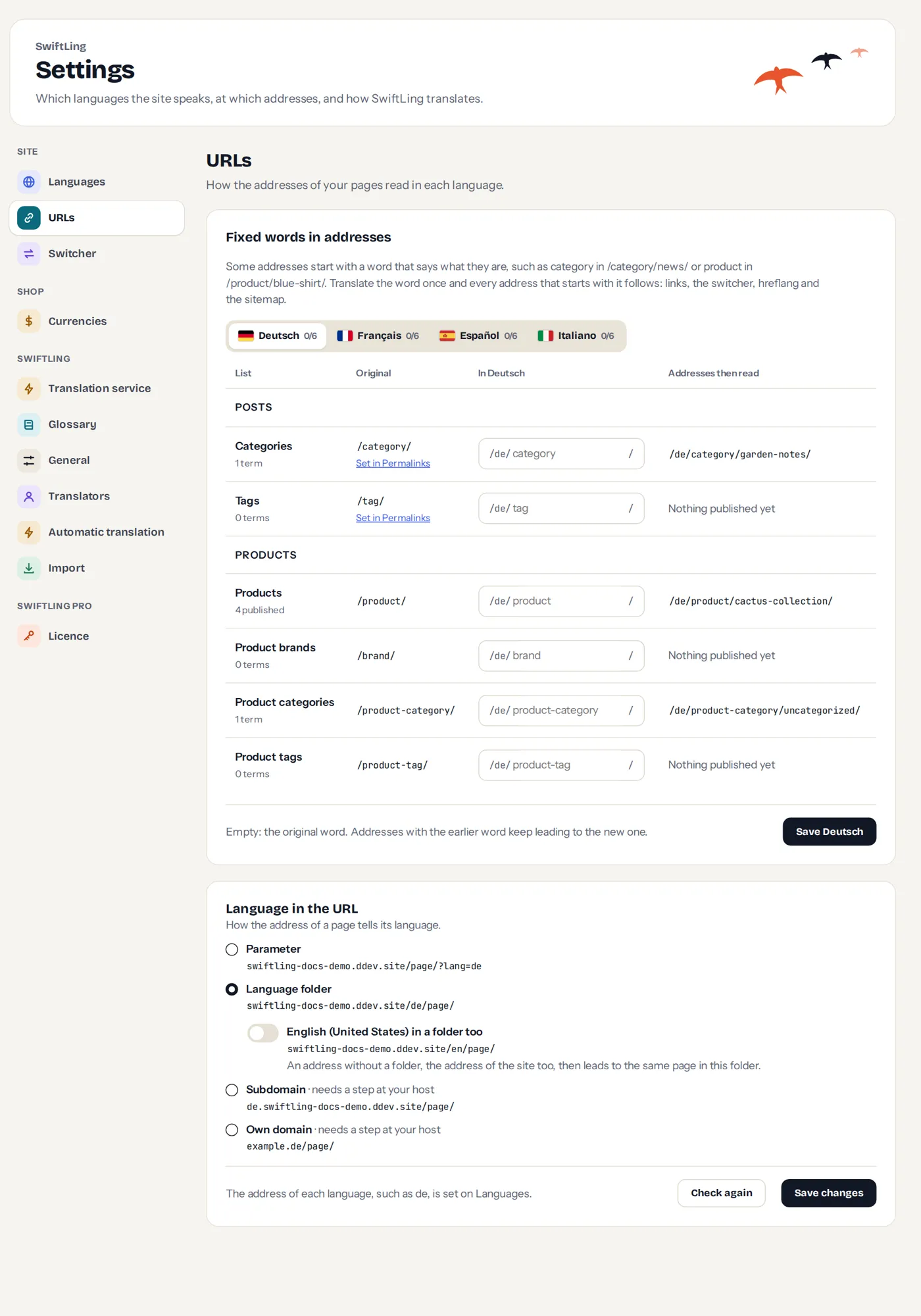
Language in the URL
| Choice | Example | Needs |
|---|---|---|
| Language folder | example.com/de/page/ | Pretty permalinks |
| Parameter | example.com/page/?lang=de | nothing |
| Subdomain | de.example.com/page/ | a step at your host |
| Own domain | example.de/page/ | a step at your host |
With a folder, tick the original in a folder too if you want the original language in one as well. Without it the original has no folder, and the address of the site is the original.
Language folders need pretty permalinks. Until you choose a structure other than Plain (or one starting with index.php) on Settings › Permalinks, pages open with ?lang= in either case.
Subdomains and domains
For these, SwiftLing cannot make the address work itself: your host has to. The screen shows, for each address, whether it leads to your site, and how to fix it when it does not:
- Does not answer: add the address at your host, or where you bought the domain. A new one can take up to a day.
- No secure certificate: turn on a certificate (https) for it at your host. Most hosts do it for free.
- Another site answers: it shows another site, or sends visitors on. Add it to this site at your host as an alias, not as a redirect.
Press Check again to see each address. Save changes checks them too, and switches only once every address leads to your site. Until then your site keeps the addresses it has.
The screen lists how common hosts do it, for example Add Domain Alias (with the 301 redirect off) or Parked Domains.
Good to know. Your dashboard stays at one address. You stay signed in only there, so the toolbar is missing on the other domains: edit translations from the dashboard. Add each address to Google Search Console.
Fixed words in addresses
Some addresses start with a word that says what they are, such as category in /category/news/ or product in /product/blue-shirt/. Translate the word once and every address that starts with it follows: links, the switcher, hreflang and the sitemap. Old addresses with the earlier word lead to the new one.
Translated slugs
In the editor, every page, post, category and tag has an Address field for each language. Empty means the original slug. A changed address keeps leading to the page from the old one.
Domains and fonts
Pages work on other domains, but some themes, such as Divi, miss their icons: they keep the address of their fonts in a file every address shares. The screen shows the lines your host can add (for Apache in .htaccess, for nginx in the server block).