






Documentation / SwiftLing Pro
Settings › Automatic translation translates a page or post with your translation service as soon as it is published or changed, without opening the translation editor.
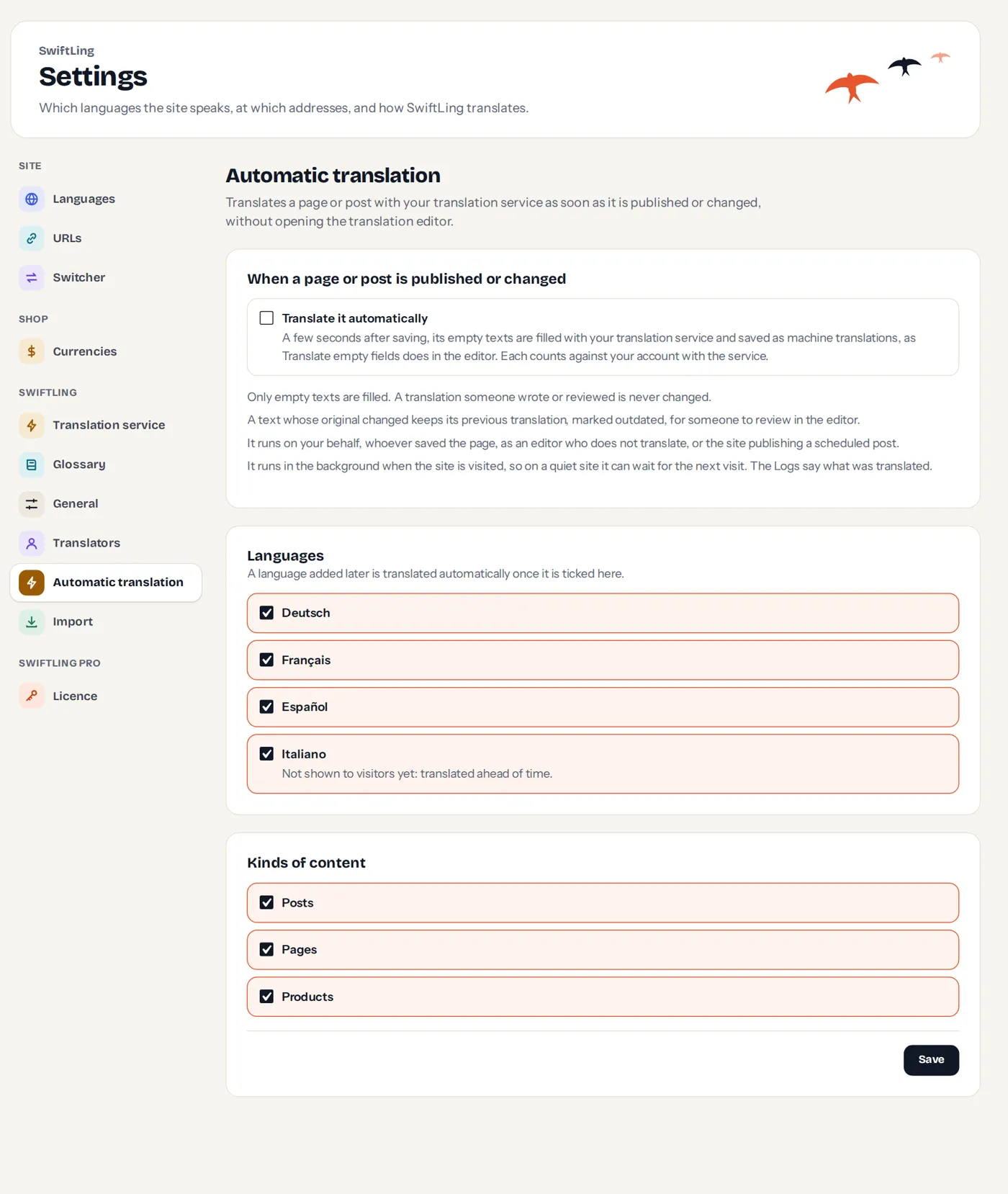
- Connect a translation service.
- Tick Translate it automatically.
- Choose the languages. A language you add later is translated automatically once ticked here. A language not shown to visitors yet is translated ahead of time.
- Choose the kinds of content.
- Save.
What it does
- A few seconds after saving, the empty texts are filled with your service and saved as machine translations, as Translate empty fields does in the editor. Each counts against your account with the service.
- Only empty texts are filled. A translation someone wrote or reviewed is never changed.
- A text whose original changed keeps its previous translation, marked outdated, for someone to review in the editor.
- It runs on your behalf, whoever saved the page: an editor who does not translate, or the site publishing a scheduled post.
- It runs in the background when the site is visited, so on a quiet site it can wait for the next visit. The Logs say what was translated.
It is off by default.