






Documentation / SwiftLing Pro
SwiftLing Pro adds four services to Google Cloud Translation. Each uses your own key; the service bills you directly. See Machine translation for how to connect them and where the key is kept.
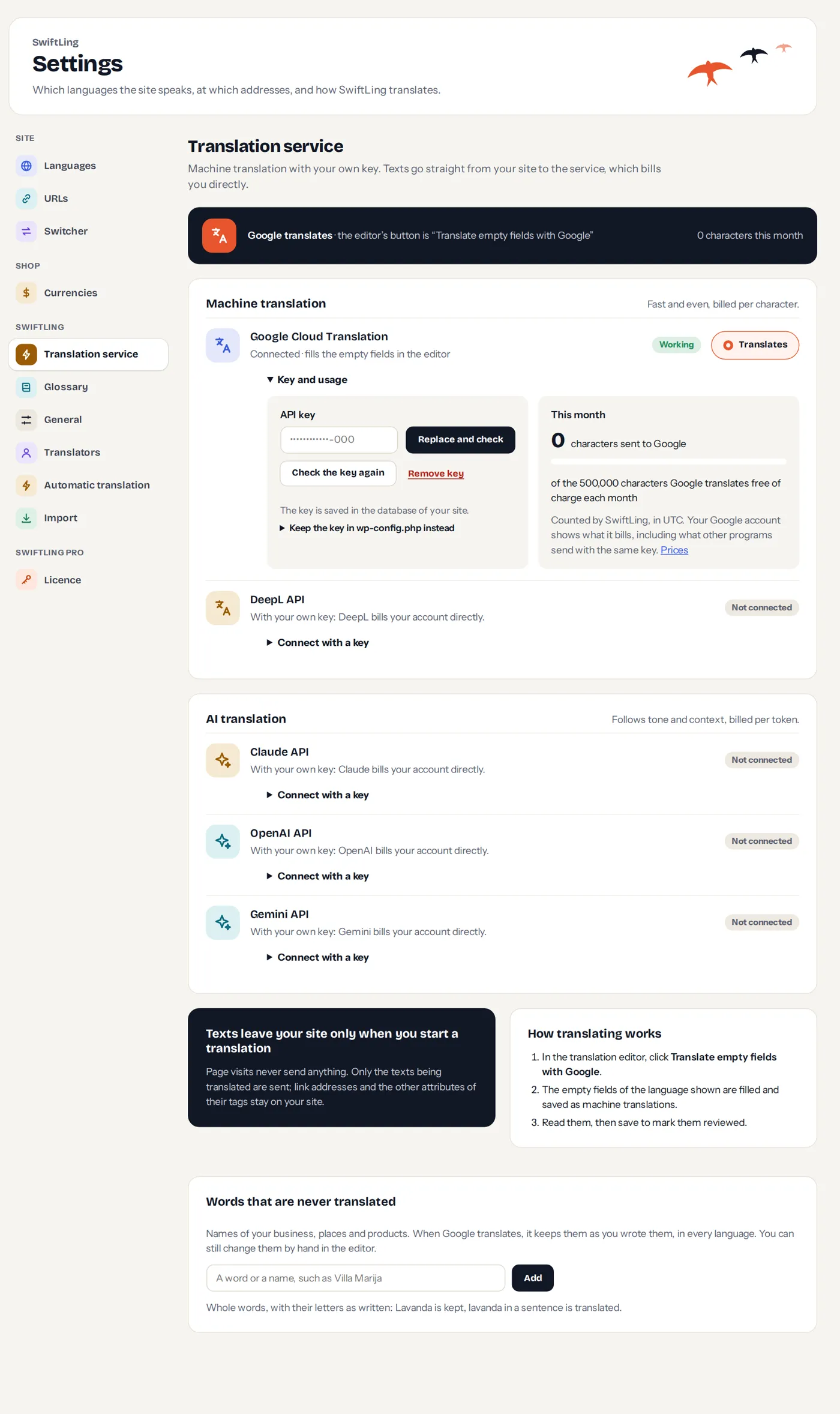
| Service | Kind | Notes |
|---|---|---|
| DeepL | Machine translation, per character | A key ending in :fx is DeepL API Free and works on DeepL’s free host; other keys on the other. A check costs nothing and shows the plan’s usage as DeepL counts it. |
| Claude (Anthropic) | AI translation, per token | Follows tone and context. |
| OpenAI | AI translation, per token | |
| Gemini (Google) | AI translation, per token |
DeepL
- Texts are sent as HTML so tags stay intact; link addresses and attributes stay on your site.
- A formal or informal locale of WordPress, such as
de_DE_formal, asks DeepL for that form of address. - Terms of your glossary go to DeepL as a glossary of its own for each language, made again when the terms change.
AI services
- Each request is told the terms of your glossary that it holds.
- Choose the model. If a key cannot use a model, the screen says This key cannot use that model; check the key again to see the models it can use.
- Translation follows tone and context, so it suits marketing text. It is billed per token, not per character.
Choosing
Connect the services you want; choose which translates. Pro’s other features (Translate again, Background, Automatic translation, WP-CLI) use the same one.