






Documentation / Getting started
SwiftLing › Overview is the first screen. It tells you how far each language has come and what needs attention.
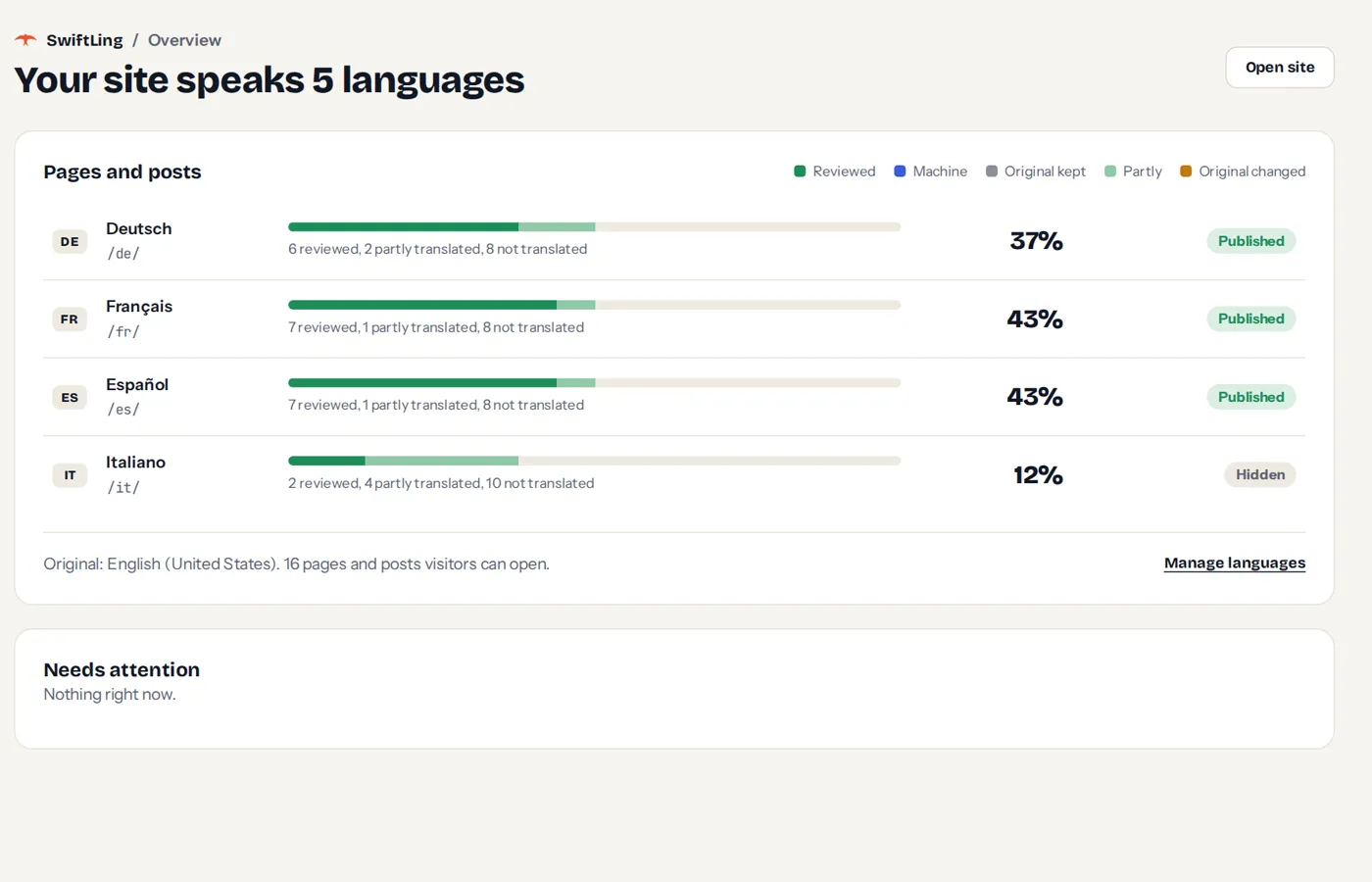
- Languages: each language with how far its pages have come, as a bar split by state.
- States: every text is in one of five states, shown by colour:
- Reviewed: someone checked it.
- Machine: translated by a service, not yet read.
- Original kept: the text is deliberately left in the original.
- Partly: some texts of the page are translated, some not.
- Original changed: the original changed since the text was translated.
- Needs attention: what changed and should be looked at again.
- Pages and posts counts pages, not texts.
Before you have chosen languages, the Overview shows Choose the languages first with a button to add them.
The SwiftLing menu

The menu has five items: Overview, Translations, Translate everything, Settings and Logs. With SwiftLing Pro, Support is added and shows the number of unread replies beside it. The same number shows on SwiftLing’s top item.
Translations and Settings are groups: they open to the screens listed in Translation screens and Settings.