






Documentation / Content
Translations › Menus is for the menus you build under Appearance › Menus.
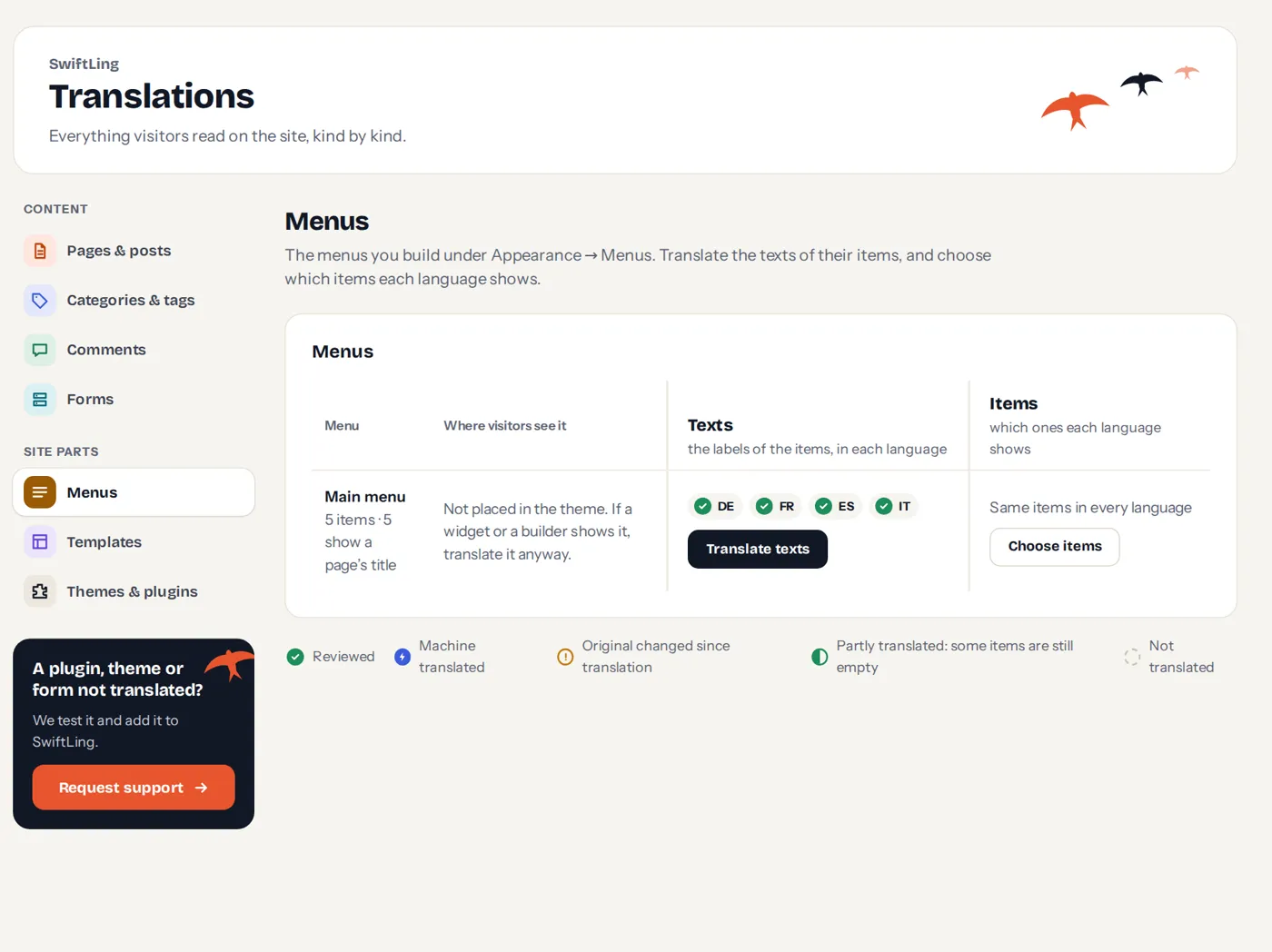
For each menu you can do two things:
- Translate texts: the labels of the items, in each language.
- Choose items: which items each language shows.
Translate texts
A menu item has a label of its own for each language. An item without a translation shows its page’s title in that language (or the original label).
Choose items

One menu, a different mix in each language. Tick where visitors see each item; an empty box leaves the item out of the menu in that language.
- A submenu goes along: leave out an item and the items under it are left out with it.
- An item for one language: add it in Appearance › Menus with only that language ticked.
- An item can also be hidden until its page is translated.
- A language you add later starts with the same items as the original.
Block themes
A theme that builds its menu with the Navigation block in the Site Editor has no classic menus here. The screen says so. Its items are translated with the header, once for the whole site, in Templates.
The language switcher in a menu
The switcher can join a menu as an item. That is set on Settings › Switcher, see Language switcher.