






Documentation / SwiftLing Pro
Settings › Currencies shows prices in more than one currency in WooCommerce. The shop’s own currency is set in WooCommerce; orders keep the currency they were placed in.
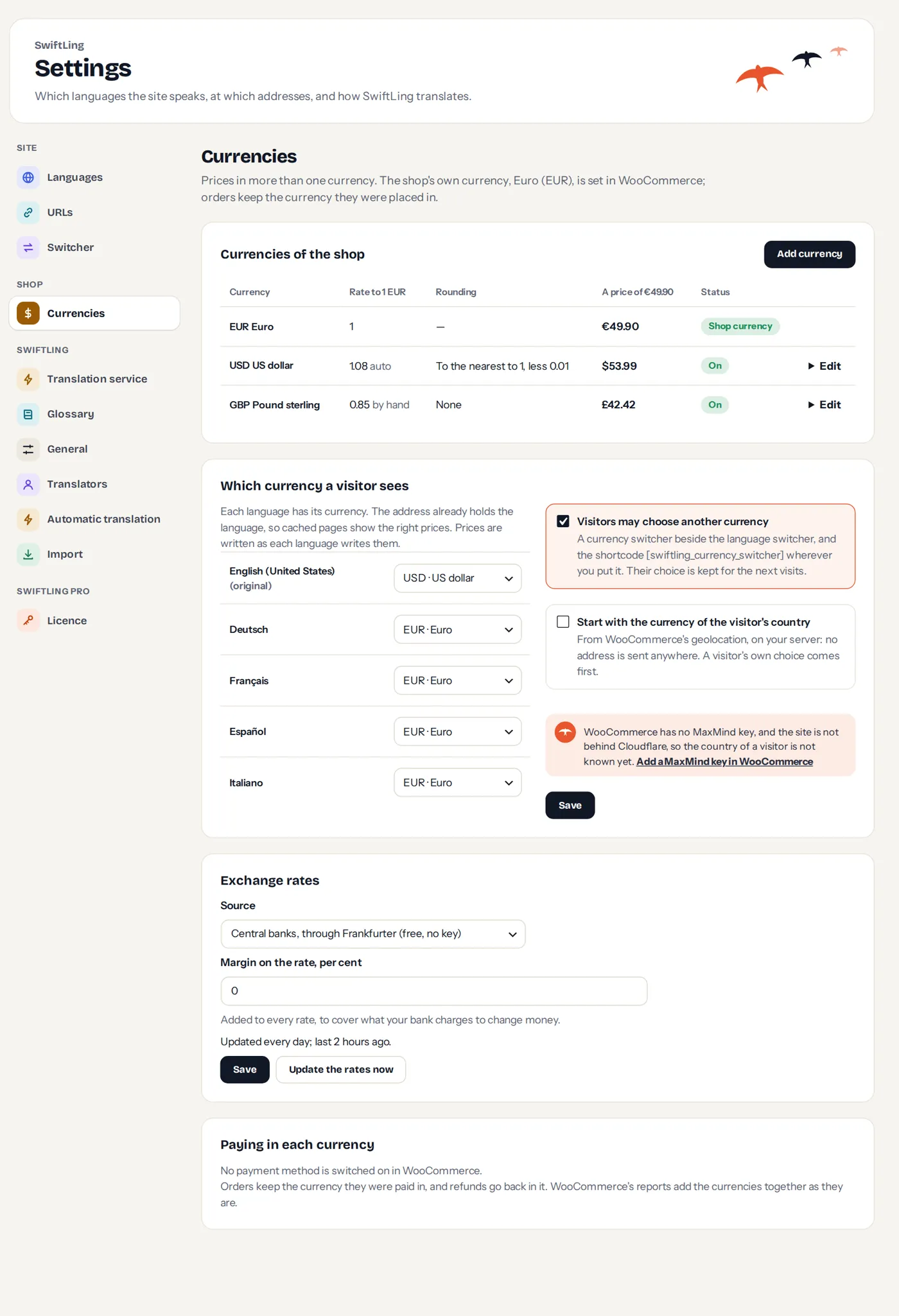
Adding a currency
Add a currency, from WooCommerce’s currencies (Find by name or code) or Your own (code of three letters, name, symbol). Its rate comes from the rate service at once, or is set by hand for a currency WooCommerce does not list.
For each currency set:
- Rate to 1 {shop currency}: auto or by hand.
- Rounding: None, Up, Down, To the nearest, to a multiple of a number, and then take off an amount (for 9.99 style prices).
- Symbol.
- Hidden from the currency switcher.
Which currency a visitor sees
Each language has its currency. The address already holds the language, so cached pages show the right prices. Prices are written as each language writes them.
- Visitors may choose another currency: a currency switcher beside the language switcher, and the shortcode
[swiftling_currency_switcher]wherever you put it. The choice is kept for the next visits. - Start with the currency of the visitor’s country: from WooCommerce’s geolocation, on your server; no address is sent anywhere. A visitor’s own choice comes first. It needs a MaxMind key in WooCommerce, or the site behind Cloudflare.
Exchange rates
Choose the source of the rates, paste the key (some need one), and a margin per cent, added to every rate to cover what your bank charges. Rates update every day; Update the rates now does it at once.
Paying in each currency
Payment methods can take only some currencies. For each currency tick the methods that may be offered; untick one that cannot take it.
When no method takes a currency:
- The checkout is in the shop’s currency: prices show in the visitor’s currency; the checkout is in the shop’s, and says so.
- The checkout asks for another currency: no payment method is offered, with a link to pay in the shop’s currency.
Orders keep the currency they were paid in, and refunds go back in it. WooCommerce’s reports add the currencies together as they are.
Own prices
A product can have its own price in a currency, instead of the converted one.